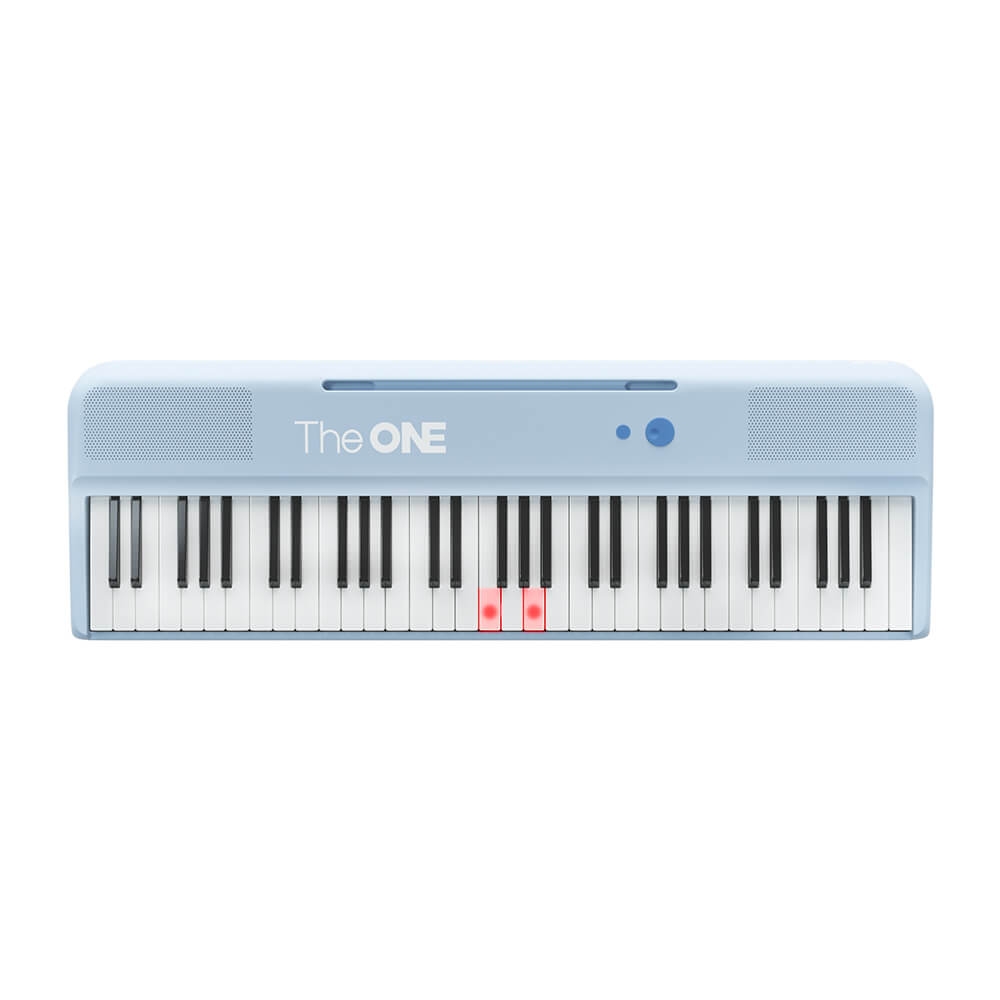
SAN JOSE, Calif. – October 03, 2026 – Light-up piano keyboards connect visible note prompts with a physical instrument, an approach reflected in The ONE Music’s COLOR keyboard and learning app. The company’s existing setup combines illuminated keys with software practice tools. For households comparing a first keyboard, it separates two decisions that are often grouped together: how a beginner finds the next note and how the instrument supports playing once that note becomes familiar.
What light guidance actually shows
A light-up piano keyboard uses lights on or near the keys to indicate notes during a supported learning activity. The light identifies a location on the keyboard. It does not, by itself, explain the sound a phrase should make. Rhythm concerns when notes happen, while expression concerns choices such as playing softly or shaping the end of a phrase. Those tasks remain part of learning.
The ONE COLOR Smart Keyboard has 61 full-size keys and red LED guidance. Its published weight is 7.7 pounds, with power available through a cord or four AA batteries. That format provides a shorter playing range than an 88-key piano and can be moved between practice locations. Full-size describes the dimensions of individual keys; it does not mean that the instrument has the complete 88-key range.
This distinction helps a beginner compare products without relying on the word smart alone. A key can light up regardless of whether its mechanism is weighted. Key count, physical resistance and visual guidance describe different features.
How the app changes a practice session
The ONE Smart Piano App includes beginner lessons and practice functions such as playback and A-B repeat. A-B repeat means choosing a start point and an end point so that a selected passage plays again. In supported learning modes, the app can wait for the correct note. That pause gives the player time to find a key instead of being forced to keep up with continuous playback.
Listening and following prompts serve different purposes. Listening provides an example of the phrase, while the lights indicate where the hands need to move. A learner may recognize the melody but still struggle to place a finger. Conversely, finding every indicated key does not establish that the rhythm is consistent. Treating those as separate tasks makes a practice problem easier to identify.
App support also depends on the connected device and available content. The desired phone or tablet needs to meet the current requirements, and a particular course or song may have access conditions. The hardware purchase should be considered separately from memberships. A free download is not the same as unrestricted access to every lesson or song in a catalog.
An example using a short passage
An illustrative session can begin with four bars, meaning four small units of musical time, rather than an entire song. The player first listens to the section, then follows the note prompts through it. A repeat function can keep attention on that section. After the notes become familiar, the same passage can be attempted with less reliance on the visible cues.
The comparison between attempts is useful even without a numerical score. A pause before each new note points to a location problem. Correct notes with uneven spacing point to a timing problem. A phrase played with one unchanging volume raises a different question about expression. This example describes a way to organize practice, not a tested learning outcome or a promise of progress within a set period.
Light guidance can therefore be one part of a broader learning routine. Reading music, listening carefully and receiving instruction address skills that illuminated keys cannot fully assess. A beginner need not master all those skills before the first session, but the prompts should not be presented as proof that technique or musical understanding has already developed.
Planning a workable first setup
The physical setup matters alongside the lesson tools. A keyboard needs stable support, a seat at a suitable height and room for comfortable hand movement. Headphone practice requires a compatible connection. For a shared room, the time needed to place and connect the instrument can be as relevant as its portability. A lightweight keyboard still needs a secure playing position.
The ONE Music’s official COLOR and learning app pages provide the model specifications and current software information. Together, they allow families to evaluate a light-guided keyboard as an instrument, a connected learning tool and a practical household setup. That comparison is more specific than judging the product solely by the presence of lights.
About The ONE Music
The ONE Music develops smart pianos, keyboards and electronic drums. Its first smart piano launched in 2014. Its mission is to make music learning accessible through technology.
Media Contact
Company Name: TheONE Music
Contact Person: John Smith
Email: Send Email
Country: United States
Website: https://theonemusic.com/
Press Release Distributed by ABNewswire.com
To view the original version on ABNewswire visit: Light-up piano keyboards connect note guidance with The ONE Music’s beginner learning tools
Media gallery